
If your server is not yet running, start it.
The server can be managed in the following ways:
- Using the built-in CLI while it is running
- The separate RPC client remotely
- The admin UI
When the server is running, its CLI will be accessible through the terminal.
You can type help to see a list of commands.
Some useful commands to set up a new server:
createroomCreate a new roomcreateaccountCreate an account for a room
The usage for each command is documented in the CLI.
Be aware that the server CLI is only enabled when running the server in a terminal. It will not be enabled if you are running it in a systemd service, in Docker, etc. In such cases, you will need to use the RPC client or the admin UI.
RPC Client
To manage the server remotely or without having to touch its CLI, you can use the RPC client. It works the same way as the CLI, but can be used to manage the server remotely.
The RPC client binary is packaged with the server and named rpcclient. To use it, you can call it in the same
directory where the server's management socket is located (usually the server's current working directory), or specify
it manually using the -addr flag.
The -addr flag can be used to specify the address of the RPC interface
(unix:///path/to/socket, http://127.0.0.1:8080, etc.). It can be a UNIX socket path, or an HTTP or HTTPS URL.
If the interface requires a bearer token, use the -token flag to specify it.
RPC interfaces can be configured in the server's server.json file.
Admin UI
The admin UI is a web management interface for the server.
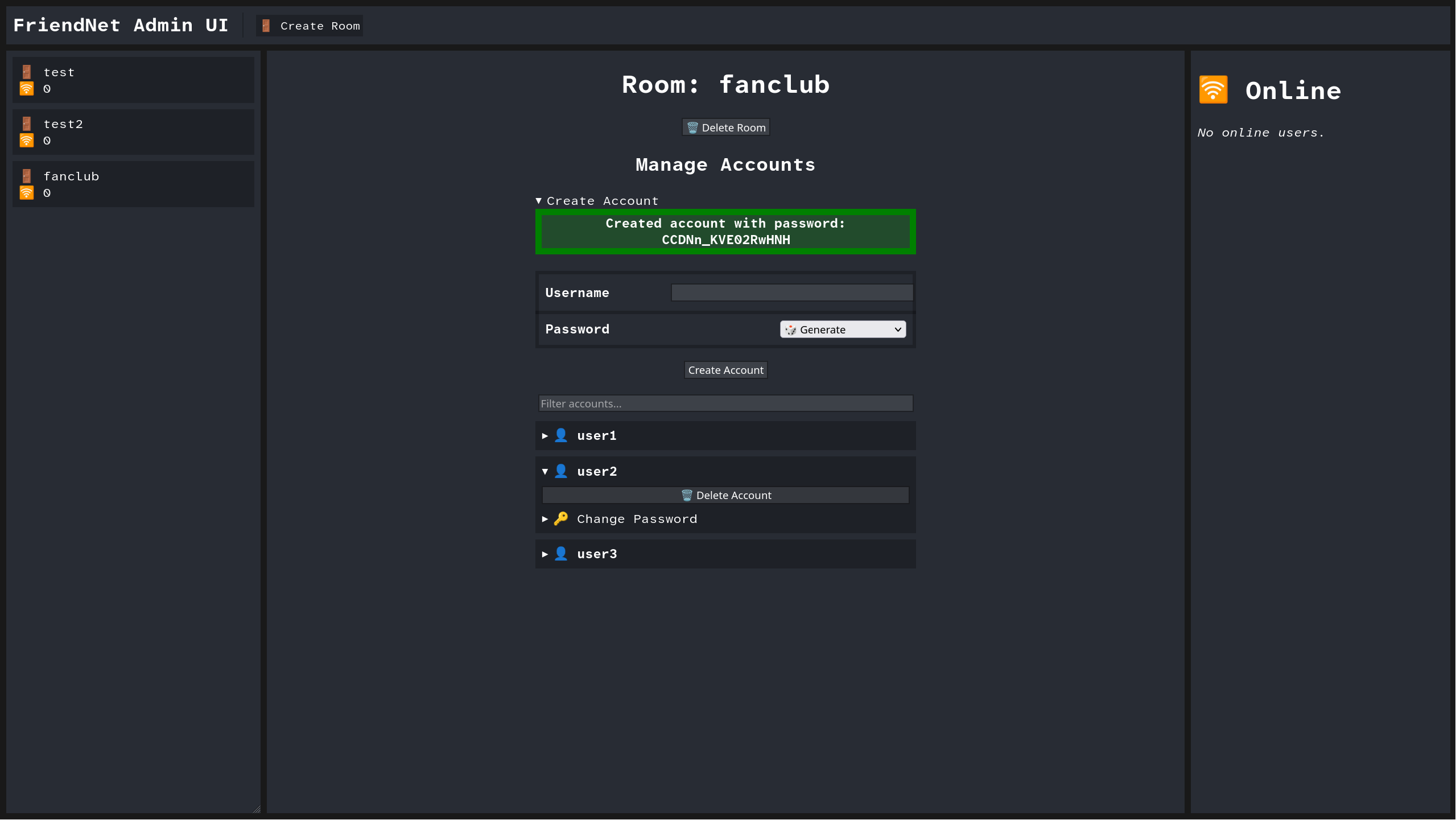
To enable it, you will need to add an RPC interface to your config JSON:
{
	"address": "https://127.0.0.1:9999",
	"allowed_methods": ["*"],
	"bearer_token": "A_SECRET_LONG_RANDOM_STRING",
	"enable_admin_ui": true
}
Change the bearer token to a long random string; it is equivalent to a password.
You can change the address to wherever you want the admin UI to be accessible. The address can be HTTPS or HTTP. It uses a self-signed certificate by default if you use HTTPS.
When you start the server, it will print a message like admin UI listening with the URL to access the admin UI.
It is recommended to run the interface behind a reverse proxy like Nginx if you want to remotely access it.